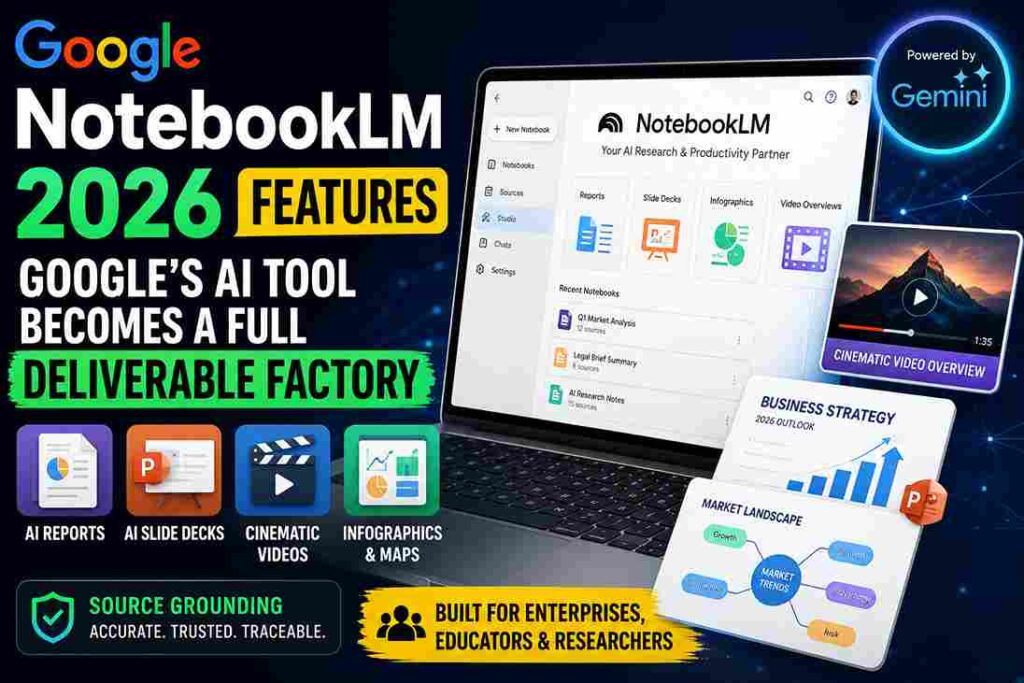
Google’s AI ecosystem is evolving rapidly ahead of the next major developer cycle. The latest NotebookLM 2026 features demonstrate how the platform has transformed from a simple AI research assistant into a full-scale “deliverable factory.” Instead of only summarizing files, the system now automatically generates slide decks, cinematic videos, infographics, and research maps. Moreover, enterprise adoption is accelerating as organizations demand faster knowledge workflows with reduced hallucination risks. However, increasing competition and technical limitations are also pushing Google to improve transparency, mobile usability, and AI-generated content quality.
Quick Summary
- NotebookLM now automatically generates reports, videos, infographics, and PowerPoint-ready presentations.
- Google has integrated Gemini AI, Deep Research, and enterprise auto-sync systems into NotebookLM.
- Experts believe AI knowledge work is shifting from manual creation to editorial supervision.
NotebookLM 2026 Features Shift Beyond Basic AI Search
NotebookLM was originally launched as an experimental research assistant under Project Tailwind. However, the platform now functions like an AI-powered production engine for both enterprises and students. Users can upload PDFs, CSVs, legal documents, and research papers, while the system generates polished deliverables within seconds. In addition, Google’s Gemini infrastructure enables NotebookLM to process massive datasets without relying on traditional vector database limitations.
The most significant upgrade is “Source Grounding.” Unlike standard AI chatbots, NotebookLM directly connects every response to uploaded sources. As a result, hallucination risks are significantly reduced. This architecture also increases enterprise trust in AI-generated summaries for sensitive research, financial analysis, and internal documentation workflows.
How To
How to use NotebookLM 2026 features for research?
Upload documents, organize notebooks, and use Studio tools for reports, slides, and AI summaries.
How to create AI slide decks in NotebookLM?
Open the Studio panel, select Slide Decks, and automatically generate editable presentation files.
How to improve NotebookLM accuracy?
Use clean source files, separate notebooks by topic, and verify citations before publishing results.
Google Adds Cinematic Video and AI Slide Generation
Google significantly expanded NotebookLM’s Studio panel in 2026. Users can now instantly create infographics, mind maps, reports, quizzes, and presentation decks. Additionally, AI-generated PowerPoint exports now support editable .pptx formats, solving earlier enterprise workflow issues. Analysts can now edit individual slides using prompts instead of rebuilding entire presentations manually.
One of the most discussed updates is Cinematic Video Overviews powered by Veo 3 and Gemini AI. These AI-generated mini documentaries turn static files into animated explainers with narration and motion graphics. However, critics note that visual hallucinations and long rendering times still create challenges for professional use cases.
Gemini Integration Expands Real-Time AI Research
Previously, NotebookLM operated in a closed environment using only uploaded documents. Now, Google has connected it directly to the Gemini ecosystem. As a result, users can combine private notebook data with live web information for deeper research workflows.
This integration is particularly valuable for financial analysts, researchers, and marketers. For instance, companies can compare static annual reports with real-time market updates using Gemini-powered research maps. Meanwhile, synced cloud workflows support mobile ingestion via Gemini and advanced desktop editing inside NotebookLM.
Enterprise Adoption Is Growing Rapidly
In May 2026, Google introduced NotebookLM Plus for Workspace enterprise customers. The premium version offers shared team notebooks, higher AI generation limits, and organization-wide response customization. As a result, many businesses are now adopting NotebookLM as a centralized knowledge operating system.
Another key upgrade is Custom MCP server integrations. These pipelines automatically sync updated files from enterprise storage systems into NotebookLM. This allows organizations to maintain live AI-ready knowledge bases without repeated manual uploads, significantly reducing operational friction for large teams managing constantly changing documentation.
Competition and Technical Friction Still Remain
Despite rapid innovation, NotebookLM still faces criticism from power users. Audio Overview customization remains limited, and the mobile experience is weaker compared to dedicated AI learning apps. In addition, researchers have raised concerns about hidden document ingestion truncation during very large uploads.
These limitations have created opportunities for competitors such as BeFreed, YouMind, Illuminate, and Nouswise. Some platforms focus on advanced audio learning, while others target academic workflows or unlimited document ingestion. Therefore, Google may need stronger transparency and customization controls to maintain its leadership position.
Pro Tips
- Use NotebookLM 2026 features for research-heavy slide decks and reports.
- Organize notebooks by topic to reduce AI latency and improve accuracy.
- Combine Gemini live search with private files for deeper market analysis.
Conclusion
NotebookLM is no longer just an AI summarization tool. It is evolving into a complete AI-powered knowledge operating system for enterprises, educators, and researchers. Google’s integration of Gemini, Veo 3, and Source Grounding architecture clearly reflects its long-term strategy toward multimodal productivity.
However, the long-term success of NotebookLM 2026 features will depend on trust, transparency, and usability improvements. Enterprises now expect accurate citations, faster rendering, and stronger mobile experiences. As global AI competition intensifies, Google’s ability to refine these systems will determine whether NotebookLM becomes the default platform for modern knowledge work.
FAQs
What are NotebookLM 2026 features?
NotebookLM 2026 features include AI slide generation, cinematic videos, infographics, and Deep Research integration.
Why are enterprises using NotebookLM?
Enterprises use NotebookLM for automated knowledge management, document analysis, and AI-generated deliverables.
Does NotebookLM reduce AI hallucinations?
Yes. NotebookLM uses Source Grounding to directly link answers with uploade