

How to Turn Text into Images Using AI: A Complete Beginner-to-Pro Guide
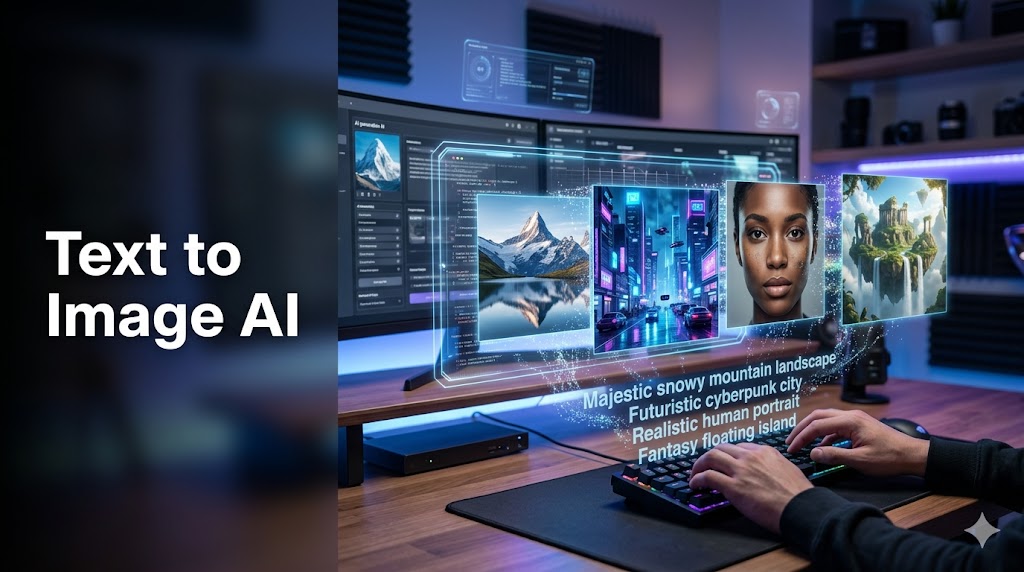
In today’s digital world, visuals are more powerful than ever. Whether you are a content creator, marketer, designer, or business owner, high-quality images can make or break your online presence. But not everyone has design skills or access to expensive tools. That’s where AI-powered text-to-image generation comes in.
Now, you can simply describe what you want in words, and artificial intelligence will turn it into a realistic or artistic image within seconds. This technology has completely changed the way we create visuals online.
Let’s explore how it works, which tools to use, and how you can master it even if you are a complete beginner.
What Does “Text to Image AI” Actually Mean?
Text-to-image AI is a type of generative artificial intelligence that converts written descriptions into visual images. You type a prompt like:
“A futuristic city floating in the sky during sunset with flying cars and neon lights”
And the AI generates an image that matches your description.
These systems are trained on millions of images and text pairs, allowing them to understand language and visualize concepts creatively.
Popular tools in this space include:
- OpenAI DALL·E
- Midjourney
- Adobe Firefly
- Stable Diffusion
Each of these tools interprets text differently, but the core idea remains the same: turn imagination into visuals.
How Text-to-Image AI Works (Simple Explanation)
Even though it looks magical, the process behind AI image generation is quite logical.
- Text Understanding:
The AI reads your prompt and breaks it into meaningful parts (objects, style, colors, mood). - Image Prediction:
It searches patterns learned from millions of training images to imagine what your description should look like. - Image Creation:
The AI generates multiple variations and refines them into a final visual output.
The better your prompt, the better your result. That’s why learning how to write good prompts is very important.
Step-by-Step: How to Turn Text into Images Using AI
Step 1: Choose the Right AI Tool
First, select a platform based on your needs:
- For professional-quality art → Midjourney
- For simple and clean designs → Adobe Firefly
- For creative flexibility → Stable Diffusion
- For general use and beginner-friendly experience → DALL·E
Each tool has its strengths, so choose based on your goal.
Step 2: Write a Strong Text Prompt
Your prompt is the most important part of the entire process. Think of it as instructions for the AI.
A weak prompt:
“a cat”
A strong prompt:
“a fluffy orange cat sitting on a wooden table near a window, soft sunlight, cinematic photography style, highly detailed, 4K resolution”
The difference is huge. The more descriptive you are, the better your results will be.
Step 3: Add Style and Mood Details
To get professional-looking images, always include:
- Lighting (soft light, dramatic lighting, neon glow)
- Style (realistic, cartoon, oil painting, 3D render)
- Environment (forest, city, studio, space)
- Camera angle (close-up, wide shot, top view)
This helps the AI understand exactly what kind of visual you want.
Step 4: Generate and Refine
Once you generate an image, you will usually get multiple versions. Pick the best one or refine your prompt.
For example:
- Add more detail
- Change color tone
- Adjust style (realistic → anime → cinematic)
This iterative process is key to mastering AI image creation.
Best Practices for Writing AI Image Prompts
If you want consistent high-quality results, follow these natural guidelines:
Instead of writing short prompts, think like a filmmaker or photographer. Describe the scene clearly in your mind before typing.
Example structure:
Subject + Action + Environment + Style + Lighting + Quality
Example:
“A young astronaut walking on Mars, red dusty landscape, dramatic sunset sky, ultra-realistic cinematic style, 8K detail, wide-angle shot”
This structure works extremely well across all major AI tools.
Common Mistakes Beginners Make
Many users struggle at first because they:
- Use very short prompts
- Don’t add style or lighting details
- Expect perfect results on the first try
- Ignore experimentation
AI image generation is not one-click perfection. It is a creative process. The more you experiment, the better your results become.
Why AI Text-to-Image Tools Are So Powerful
These tools are changing multiple industries:
- Digital marketing: instant ad creatives
- Content creation: YouTube thumbnails, blog images
- E-commerce: product mockups without photoshoots
- Gaming: concept art and character design
- Social media: viral visuals and reels
Even small creators can now produce studio-level visuals without hiring designers.
Future of AI Image Generation
The future is even more exciting. Soon, AI tools will:
- Generate consistent characters across multiple images
- Create full animated scenes from text
- Understand emotions more deeply in prompts
- Integrate directly into video editing tools
Companies like OpenAI, Adobe, and Midjourney are already pushing these limits.
This means content creation will become faster, cheaper, and more creative than ever before.
Final Thoughts
Turning text into images using AI is no longer a futuristic idea—it is a daily creative tool used by millions of people. Whether you are a beginner or a professional, mastering prompt writing can unlock unlimited visual possibilities.
Start simple, experiment often, and improve your prompts step by step. The more detailed your imagination becomes in words, the more powerful your AI-generated images will be.
Leave a Reply