Happy Holi AI Photo Generator – Taking beautiful photos is no longer limited to a studio or a simple background. As Holi is getting closer, many photographers capture stunning and colorful festival moments. But if you’re not a professional photographer and still want to create a truly unique and eye-catching Holi photo of yourself, it may feel difficult.
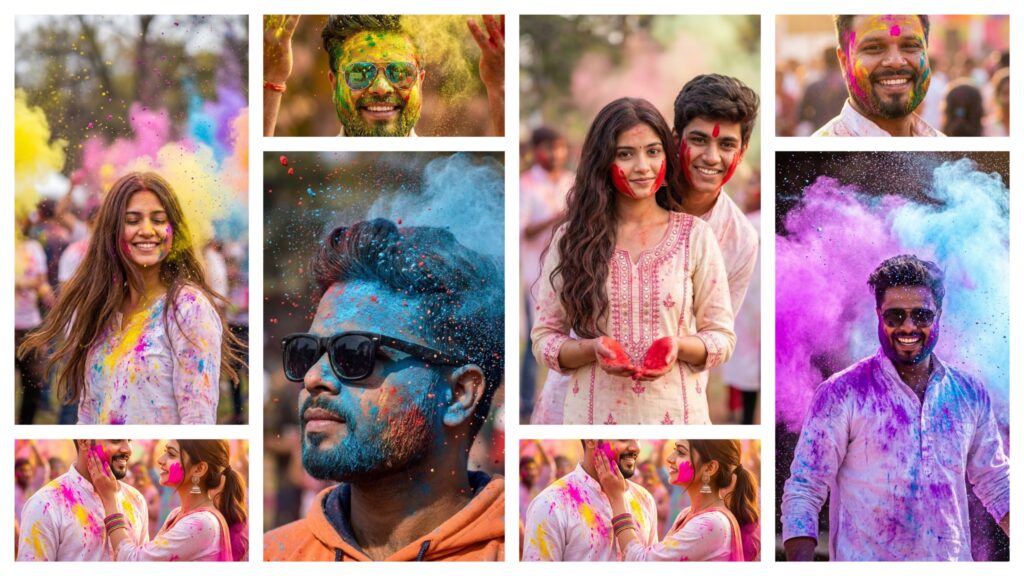
Don’t worry—with the help of AI, you can now create photos that look professionally shot without any camera setup. In this article, I will explain everything step by step, so you can generate a realistic, colorful, and high-quality Happy Holi photo easily, even if you have no editing experience at all.
Happy Holi Ai Photo Generator
We’ve just taught you Holi AI photo editing, and as the festival gets closer, your excitement and focus on creating festive photos naturally increases. I have already started sharing AI editing methods, so you can create different and unique photos easily. And very soon, I’ll teach you even more advanced AI photo editing techniques, where you’ll learn next-level and powerful editing skills in a simple way.
Look, many people may teach you basic editing in a normal way. But if you truly want to learn top-class AI editing techniques—the kind that make your photos and videos stand out—you’ll find that level of guidance here. On our website, we teach you how to do everything in an easy way, sometimes even in one click. You can create a video from your photo, add your face into creative templates, and generate amazing festival edits without complicated software. Everything is made simple so that anyone can create professional-looking content.
How to make a Holi photo attractive?
If you want to create a professional Happy Holi AI photo, make sure you set a few things correctly. Wear a white kurta in your reference photo so the Holi colors stand out beautifully and look natural. Your photo should have good lighting, a clear face, and HD quality for the best results. Also, check that your prompt includes powerful words like “cinematic,” “ultra HD,” and “professional photography” to make the image look more realistic. Many prompts also include a crowd background or village Holi scene to give a festive vibe. By following these small but important tips, your AI-generated Holi photo will look much more attractive and professional.
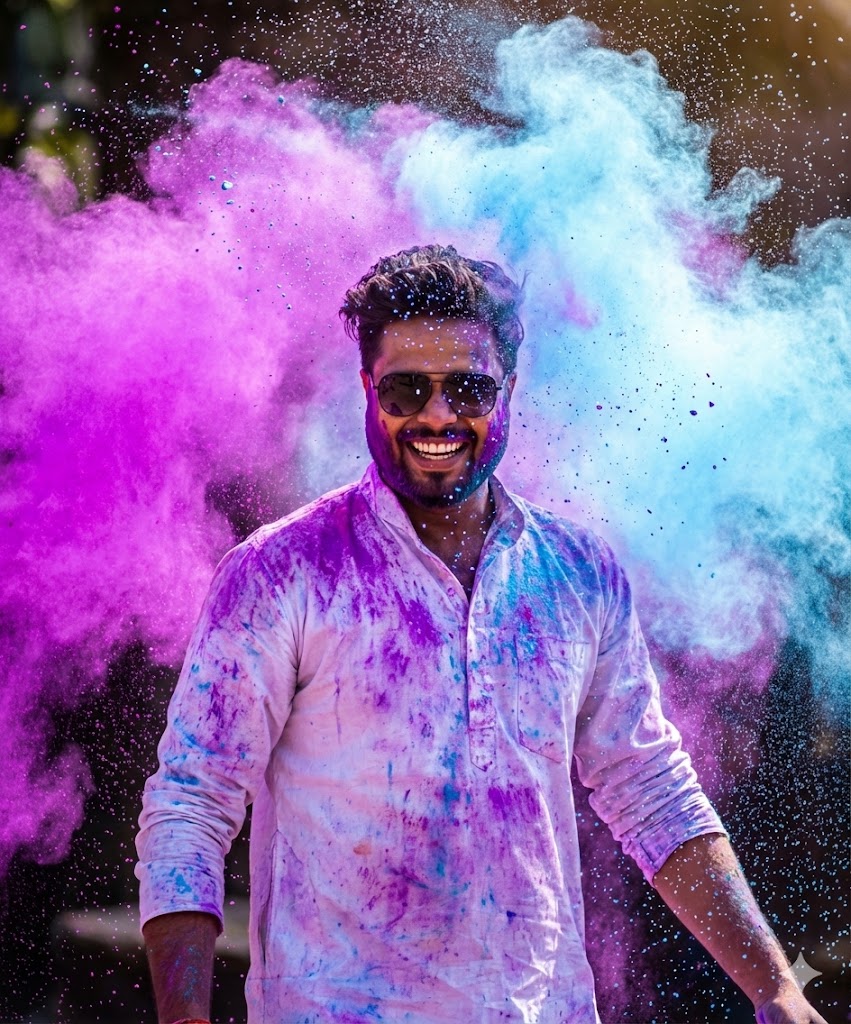
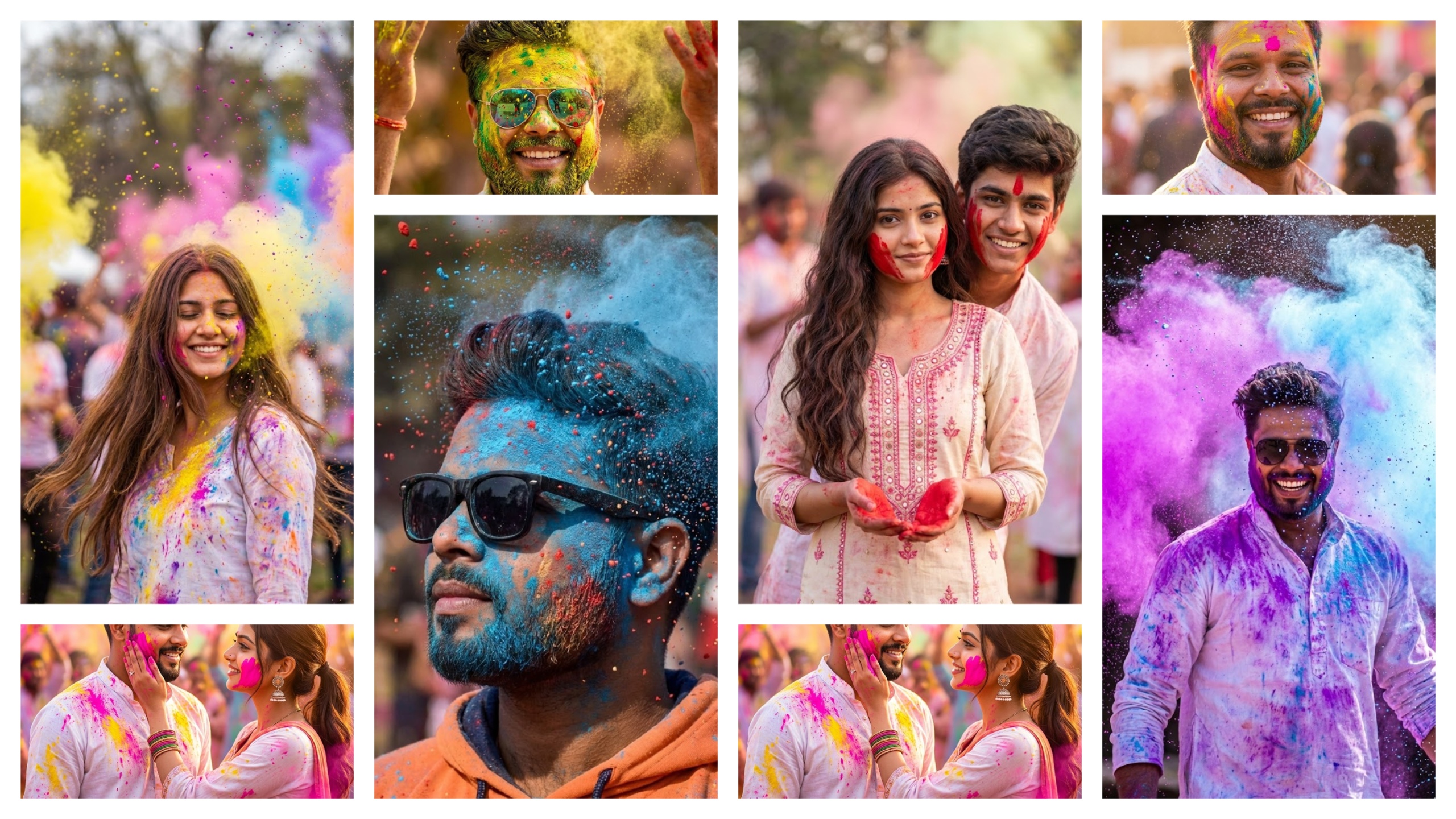
Dynamic action portrait of a young man smiling joyfully, capturing the pure festive energy of Holi. A massive, high-contrast cloud of neon purple and sky-blue powder explodes dramatically in the background and foreground. He wears a crisp white kurta and sunglasses, heavily splattered with colorful pigment. Glistening water droplets and vibrant powder particles are captured frozen mid-air using high-speed photography. Candid, radiant, bright natural sunlight illuminating the dust cloud, ultra-detailed, highly textured.
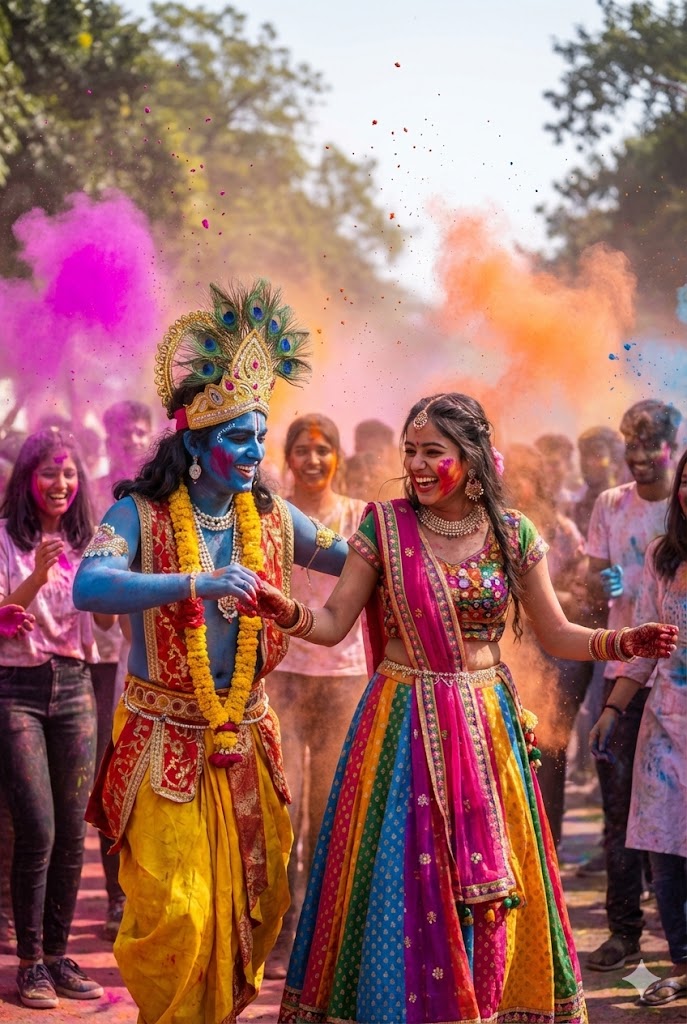
High-energy Holi festival scene where Lord Krishna and the girl are dancing joyfully in a crowd of boys and girls. Color explosions in the air, candid expressions, motion freeze photography, vibrant gulal clouds, festive smiles, dynamic movement, cinematic depth of field, slightly blurred colorful background crowd, realistic lighting, ultra-detailed skin texture, photorealistic, 8K, sharp focus, lively atmosphere.
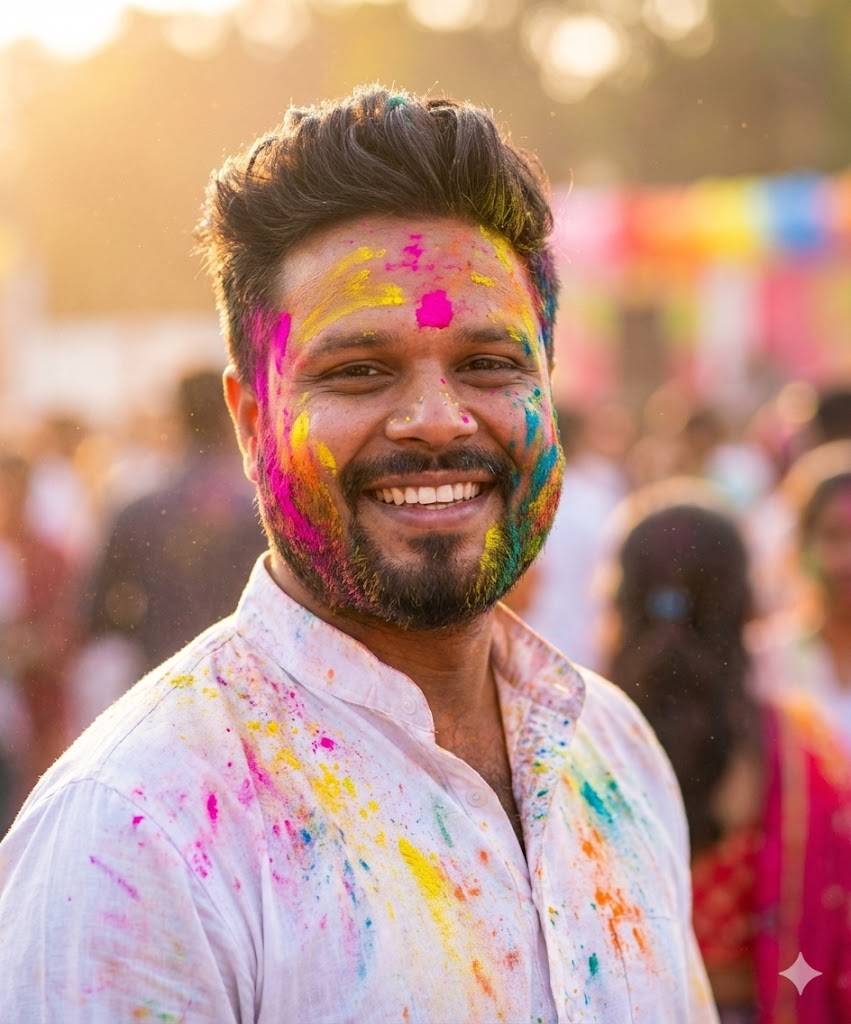
CINEMATIC PORTRAIT OF A YOUNG INDIAN MAN CELEBRATING HOLI FESTIVAL, COLORFUL GULAL POWDER (BRIGHT PINK, YELLOW, BLUE, GREEN, ORANGE) NATURALLY SMEARED AND SPLASHED ON FACE, BEARD, HAIR AND WHITE KURTA, SOFT GOLDEN HOUR SUNLIGHT, WARM GLOWING SKIN TONES, SHALLOW DEPTH OF FIELD, CREAMY BOKEH BACKGROUND, FESTIVAL CROWD SOFTLY BLURRED BEHIND, FLOATING COLOR DUST PARTICLES IN AIR, SHARP FOCUS ON EYES, NATURAL SKIN TEXTURE, DETAILED FACIAL FEATURES, REALISTIC BEARD TEXTURE, VIBRANT FESTIVAL COLORS, DSLR PHOTOGRAPHY, 85MM LENS, F/1.8 APERTURE, HIGH DYNAMIC RANGE, PROFESSIONAL COLOR GRADING, PHOTOREALISTIC, JOYFUL EXPRESSION, INSTAGRAM AESTHETIC, ULTRA HIGH RESOLUTION, 8K DETAIL
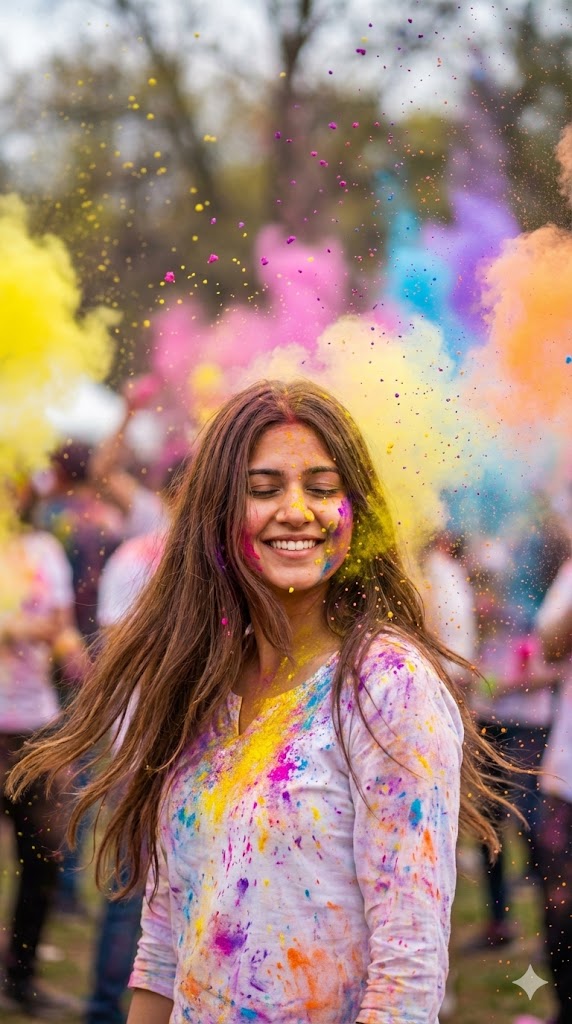
Ultra-realistic 8K DSLR portrait of a young woman celebrating Holi, eyes closed with a joyful smile. Long brown hair flowing, wearing a white top splashed with vibrant colors.Bright clouds of yellow, pink, purple, blue, and orange powder exploding around her. Soft daylight, high shutter speed capturing flying particles, shallow depth of field, cinematic, ultra-detailed, festive mood.
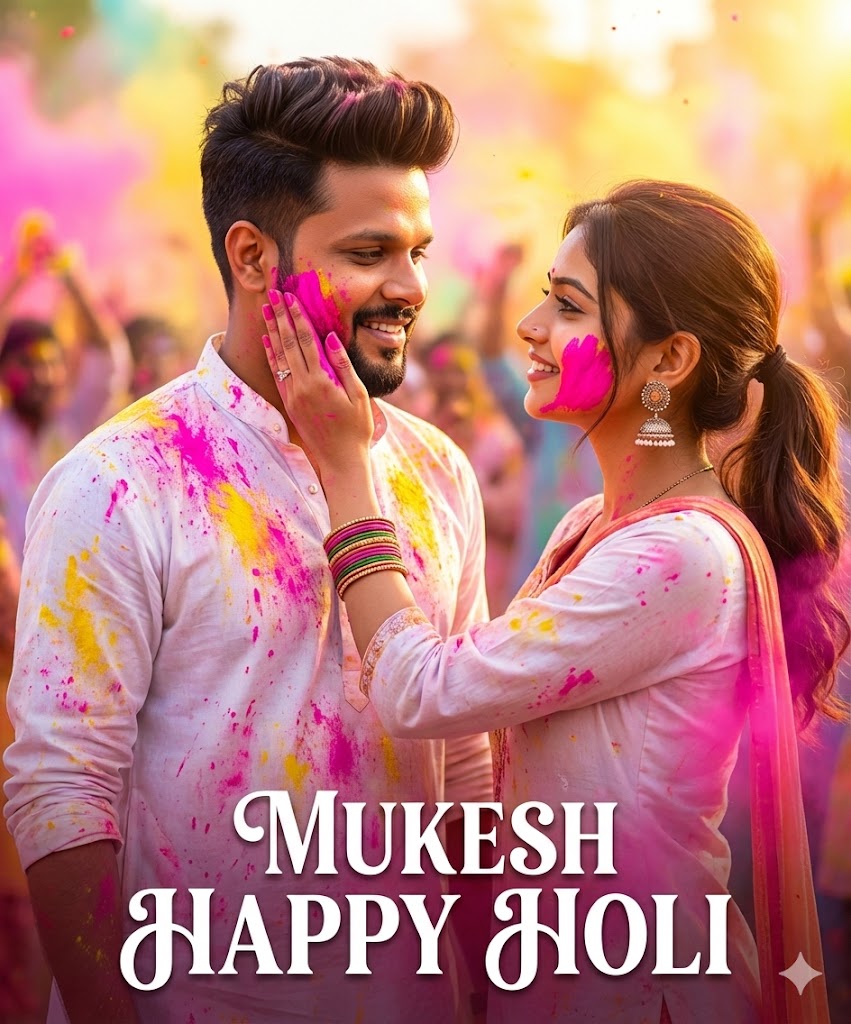
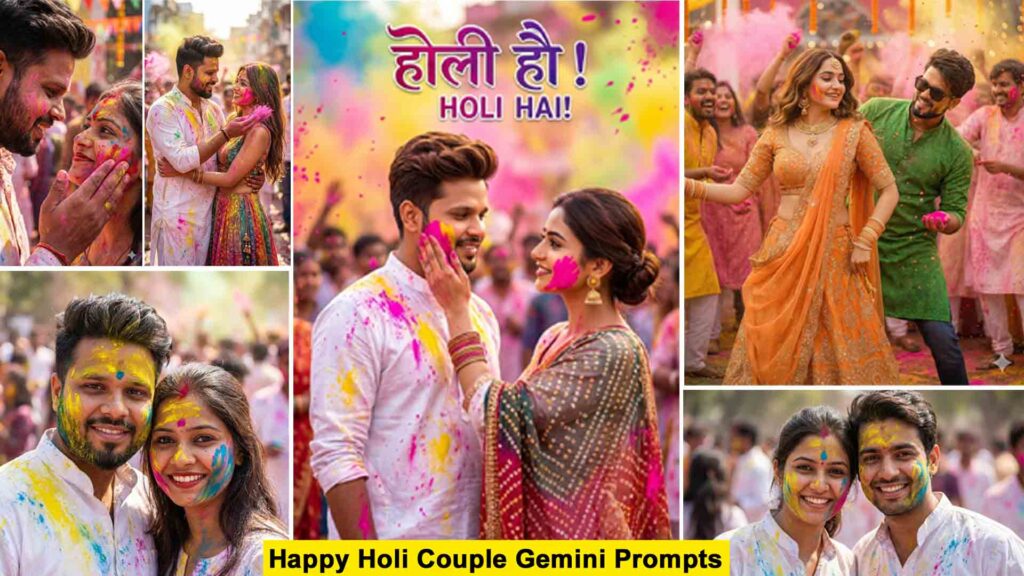
A vibrant, high-quality cinematic poster of ayoung Indian couple celebrating Holi. The young man has styled brown hair, a light beard, and a mustache, wearing a white kurta splattered with pink and yellow gulal (powder).A beautiful young woman is gently applying bright pink color to his cheek; she has her hair tied back and is wearing traditional jhumka earrings and bangles.keep my face 100% as in the reference image and nameMUKESH HAPPY HOLI
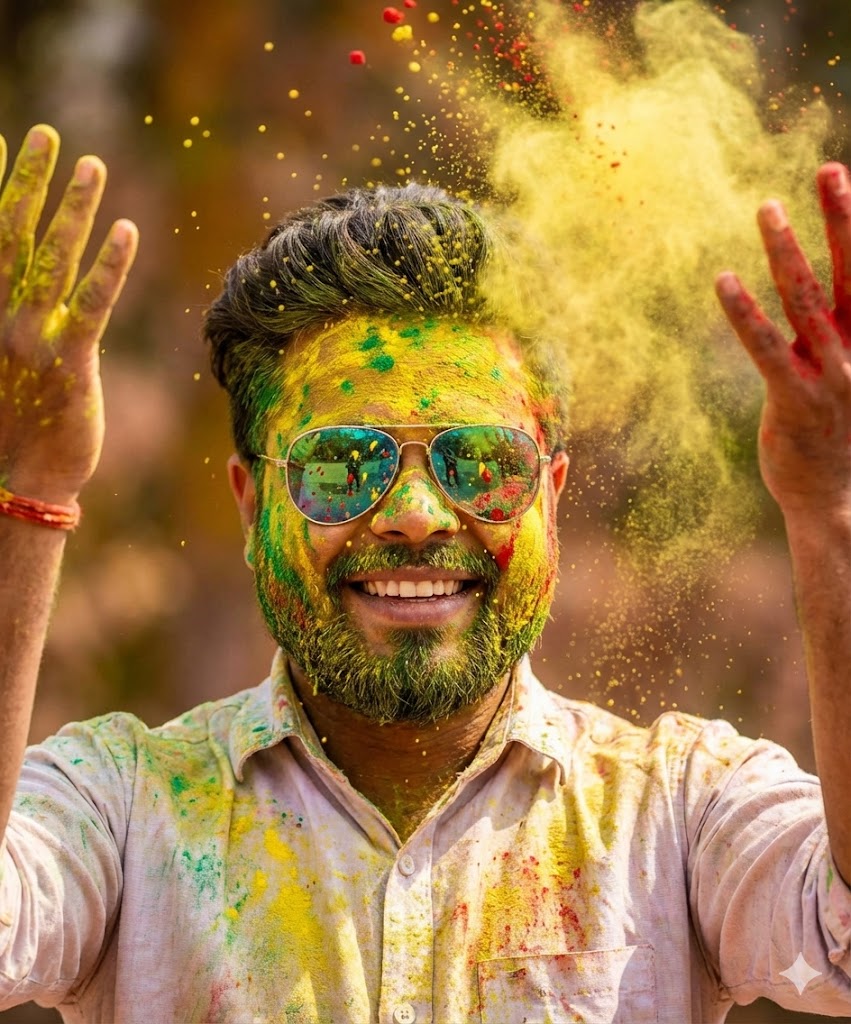
A vibrant close-up portrait of a young man celebrating Holi, covered in bright yellow, green, and red powder. His hair is lightly dusted with color, and he wears stylish reflective sunglasses partially splattered with pigment. He is smiling broadly, showing joy and excitement, while raising both hands playfully in front of his face as colored powder bursts and falls through the air. He is dressed in a casual light-colored button-up shirt stained with vivid splashes of festival colors. Fine particles of powder are captured mid-air, creating a dynamic, high-energy effect. The background is softly blurred with warm, earthy tones, enhancing the subject and making the colors pop dramatically.
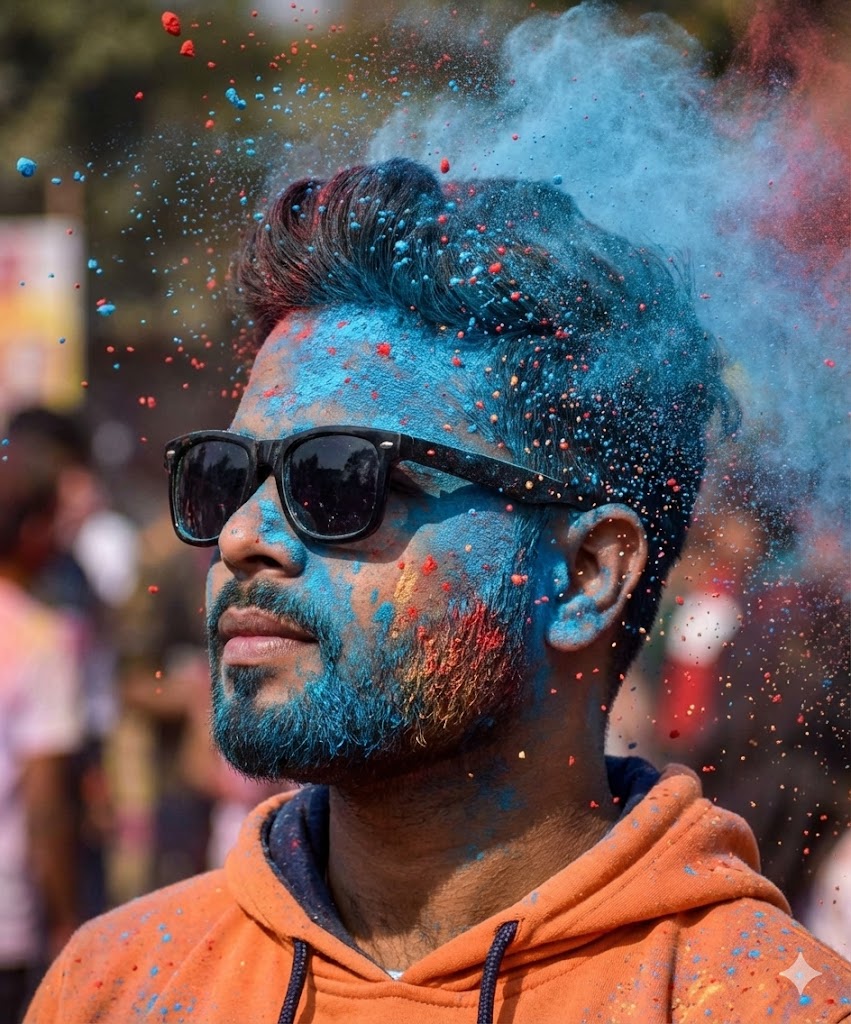
Ultra-realistic cinematic portrait of me, using 100% of my real facial identity, exact face structure, skin tone beard details, and proportions, with thick black sunglass on.Side-profile close-up shot, head slightly turned left, chin slightly raised, confident and calm expression.Explosive clouds of vibrant colored powder (blue, red and head mid-air, frozen motion effect. Face and beard heavily covered in blue powder with scattered warm tones. Fine dust particles 1/3 100% face match original
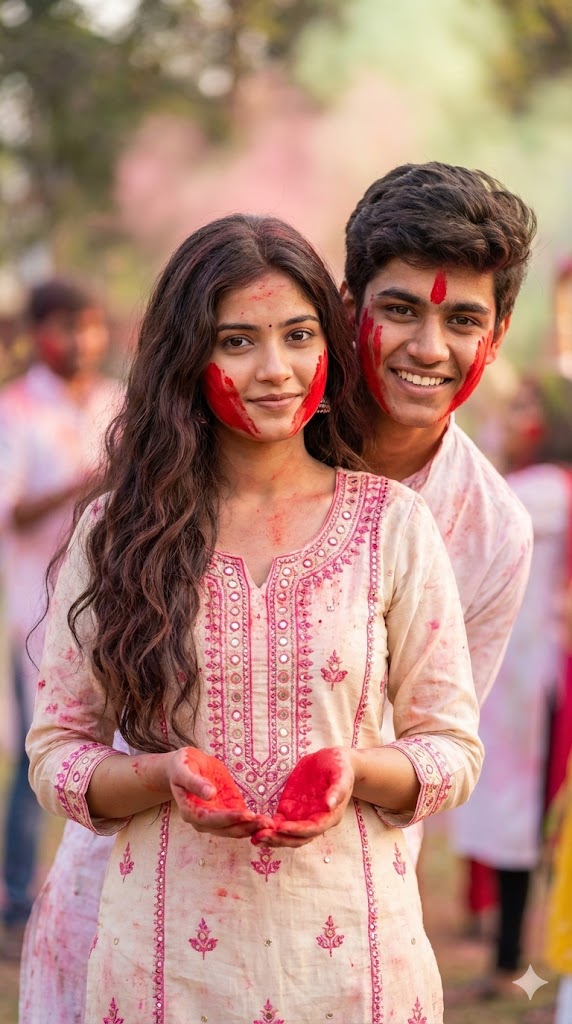
vibrant and artistic portrait of a young couple celebrating Holi. The girl, with long, wavy dark hair, wears a bright creamy traditional dress with pink accents and intricate mirror work, her hands covered in vivid Sky red powder. Her face also has splashes of red powder, & she looks directly at the viewer with a subtle expression. The boy stands slightly behind her, smiling and looking at the camera, with red powder on his cheeks. The background is softly blurred
Ultra realistic 4K cinematic photo of my car fully covered in vibrant Holi colors. Bright pink, blue, yellow, green and orange gulal only on the car body (roof, bonnet, doors, mirrors, tyres). Background clean and natural, no colors in background. Wet color texture, glossy reflections, detailed powder particles, sharp focus, festive Holi vibe, professional photography.
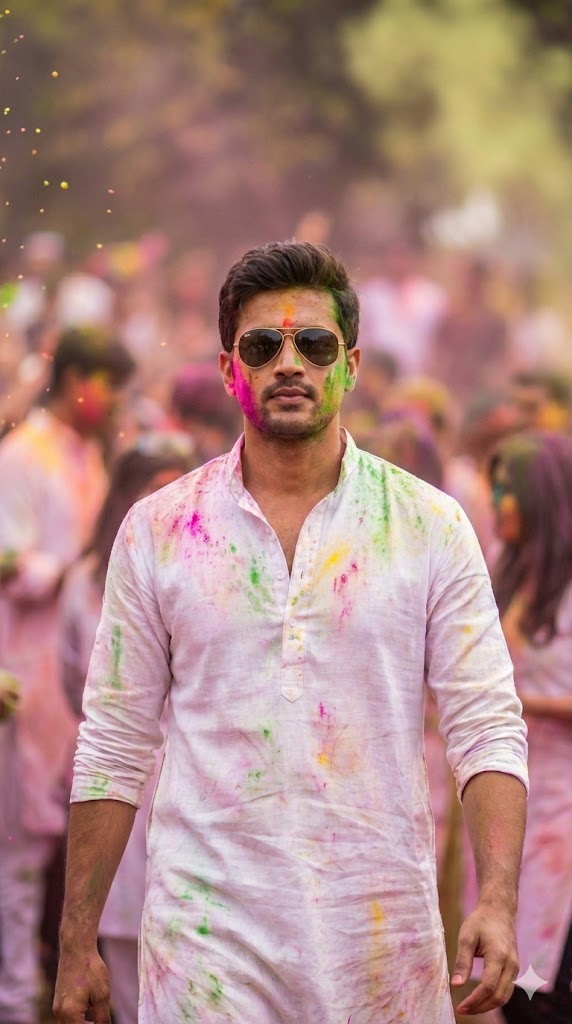
A CINEMATIC, SLOW-MOTION STYLE MEDIUM SHOT OF A HANDSOME YOUNG MAN WALKING CONFIDENTLY THROUGH A CHAOTIC HOLI CROWD TOWARD THE CAMERA. HE WEARS STYLISH AVIATOR SUNGLASSES AND A WHITE LINEN KURTA FLOWING BEHIND HIM, BOTH HEAVILY DUSTED WITH MULTI-COLORED POWDER. PEOPLE AROUND HIM ARE THROWING COLOR, BUT HE IS IN SHARP FOCUS, LOOKING COOL AND COMPOSED. SHALLOW DEPTH OF FIELD, BOKEH EFFECT.
Note:
Whenever you create an AI-generated photo, always remember that it should be made only for entertainment purposes. It should never be used to harm someone’s image, spread misinformation, or mislead people. While posting your AI photo on social media, make sure to use proper hashtags and, if available, select the AI-generated content option (like on Instagram) so viewers know it was created using AI. Transparency is important when sharing AI-edited images.
How To Generate Happy Holi AI Images
If you want to create your own Happy Holi AI photo, follow these simple steps. I’ve updated this article with the latest editing method using Google Gemini. First, copy the prompt that matches the type of photo you want to create. Then click on the “Create Image” button, which will redirect you to Google Gemini. If you use the Gemini app, you can open it directly; otherwise, visit the website. Paste the copied prompt there, click on the Plus (+) icon, and upload your selfie (make sure it’s clear and high quality). After that, click Generate and wait a few seconds. Gemini will create a stunning and realistic Holi photo for you—you’ll truly be impressed by the result.
Conclusion
Editing Holi photos using Google Gemini is very easy and fun. You just need a good-quality photo and the right prompt—and I’ve already provided the prompts for you. If you’re a little creative, you can also customize the prompts by adding your own ideas or favorite elements. This way, you can generate even more unique and professional-looking photos for your social media. Sometimes, during real Holi celebrations, too much color can ruin a perfect shot—but with AI, you can create a clean, colorful, and magical Holi photo anytime.
Update (2026)
We want to inform you that this article has been updated in 2026. Last year, we taught Holi editing based on the trends at that time. But now, we are focusing on Google Gemini AI editing, which is currently trending. All the latest prompts and details have been shared here so you can easily create modern and trending Holi edits using Google Gemini.
- Digital Vector Portrait AI Photo Editing Prompts – ChatGPT Vector Prompts 2026
- Google Gemini Rainy AI Photo Editing Prompts 2026 – Rainy Photo Editing Poses
- Google Gemini Cycle AI Photo Editing Prompts 2026 – Cycle Photo Editing Poses
- Top Boys Ai Photo Editing Prompts Google Gemini/ChatGPT 2026
- Free Fire Profile Ai Photo Editing Prompts – Google Gemini Prompts 2026
- Google Gemini Music Lover Ai Photo Editing Prompts | Gemini Prompts 2026
- Ramadan Mubarak AI Photo Editing Prompts for Gemini (2026)
- Google Gemini Happy Holi Girls Ai Photo Editing Prompts 2026
- Happy Holi Couple AI Photo Editing ,Top 10 ChatGPT Ai Prompts
- Lifestyle Photography Ai Photo Editing Prompts 2026 , Google Gemini AI Prompts
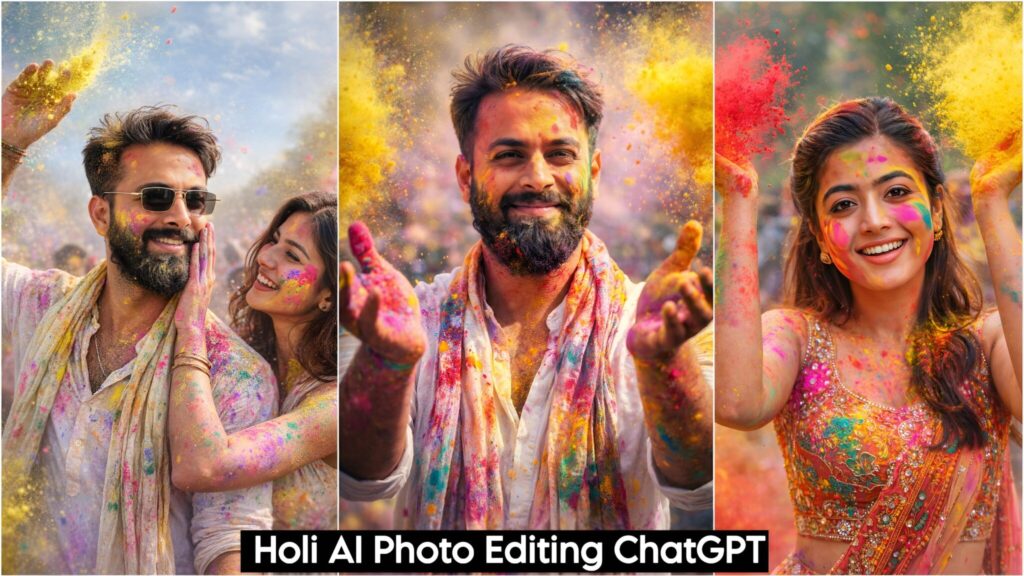
- Holi AI Photo Editing ChatGPT, Top 10 Holi Ai Prompts
- Gemini My Male & Girl Version Ai Photo Prompts 2026
- Kareena Kapoor Lehenga Photo Editing Prompts 2026 | Chatgpt Dream Lehenga Prompts
- Trending Hanuman Ji Gym AI Photo Editing Prompts 2026
- Happy Holi Ai Photo Generator – Google Gemini
- Happy Holi Couple Ai Photo Editing Prompts 2026 | Gemini Prompts