Friends, in today’s article, I’m sharing Comic Art Google Gemini Photo Editing Prompts, which many people are using right now to create amazing comic-style images. But here’s something interesting—videos created with these prompts are trending even more than the photos themselves. That doesn’t mean people aren’t making photos; they are, but creators are also making videos where multiple photos and video clips are combined in a comic art style.
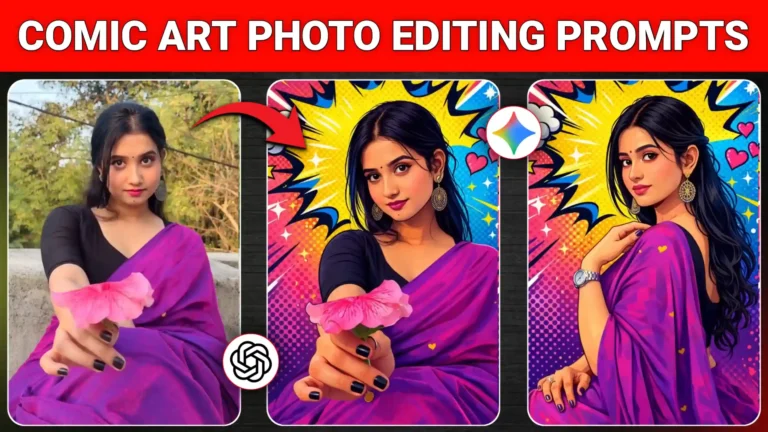
In these videos, a video clip plays and then suddenly pauses, and a still image from that clip is transformed into comic art. Then the next video clip starts, and its screenshot is also converted into the same comic style. This continues for the entire video, creating a visually striking and creative effect. In this article, I’ll show you how to create these comic-style photos and also guide you step by step on making videos in this style, so you can recreate this trending effect yourself.
Comic Art Google Gemini Photo Editing Prompts
Friends, this trend is all about comic art, and everyone is creating these trending photos because they look unique and visually stunning. In these images, your photo is transformed into a comic-style portrait with a stylish, comic-inspired background, making it appear as if a professional artist has painted it by hand. You can create these photos using Google Gemini or ChatGPT—ChatGPT produces high-quality images but limits the number per day, while Google Gemini allows unlimited creations though at slightly lower quality. Either way, both tools make it easy to generate these amazing comic-style images.
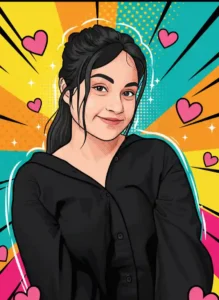
Convert the provided photo into a high-end pop-art vector illustration with exact facial identity preservation. Do not alter face shape, proportions, expression, hairstyle, pose, or camera angle. Maintain original likeness 100%. Use clean, precise vector shapes with soft cartoon refinement and very light halftone shading only where necessary. Apply bold, consistent outlines and razor-sharp edges. Enhance using comic bursts, dotted textures, motion streaks, spark highlights, and subtle energy effects strictly based on the photo’s dominant color palette. Keep colors vibrant yet balanced. Add a fully adaptive pop-art background and small cute pink hearts without affecting the subject. No stylization drift, no redesign, no exaggeration.
Why are comic art style photos going so viral?
The reason these trending comic-style photos go viral is simple—they look incredibly cute and stylish. This trend is especially popular among girls, and when their photos are transformed into comic art, they appear even more charming and visually appealing. That’s why artistic trends like this gain so much attention. The good news is, you can easily create these photos yourself. First, we’ll show you how to make comic-style images, and then I’ll explain how to turn those photos into a video. For the video, you’ll need to record a few clips of yourself and take screenshots from them—but don’t worry, I’ll guide you through every step in detail below.
How can you make this type of comic art photo?
If you want to create your own comic-style photo, here’s how to do it step by step. First, take a screenshot from your video and crop out any black borders at the top and bottom. Then, copy one of the photo editing prompts provided above. Next, click the “Create Your Photo” button, which will take you to the Google Gemini website. There, click the plus (+) icon to upload your photo, paste the copied prompt, and click the send icon. Wait a few seconds, and your comic-style photo will appear. You can then click on it to save it directly to your phone’s gallery. Using these prompts, you can easily create stunning comic-style photos in just a few minutes.
How to create a video from comic art photos?
If you want to create videos like the ones trending now, here’s the step-by-step method. First, record several video clips of yourself in different locations. Next, add all those clips to a video editing app. At the end of each clip, take a screenshot of the last frame, crop it, and then use Google Gemini to turn it into a comic-style image, just like we did for photos. Repeat this process for all your clips. Once you have all the images, place them at the beginning of their respective video clips and sync everything with your audio. It may take a little time, but the final video will look amazing and highly creative. This is exactly how you can turn your comic-style images into trending videos.
Conclusion
Friends, I’ve shown you how to create comic-style photos and also explained how to turn them into videos. We hope you found this article helpful! If you did, please let us know in the comments, as your feedback really helps us. If you want us to bring more trending prompts like this, you can also tell us in the comments. We’ll continue sharing editing materials, whether it’s prompts, video editing templates, or other creative tools. Here, I’ve provided Comic Art Google Gemini Photo Editing Prompts, which you can easily use to create your own photos. I’ve included prompts for different styles of comic art, so you can either try all of them or pick your favorite to create stunning images.
- Digital Vector Portrait AI Photo Editing Prompts – ChatGPT Vector Prompts 2026
- Google Gemini Rainy AI Photo Editing Prompts 2026 – Rainy Photo Editing Poses
- Google Gemini Cycle AI Photo Editing Prompts 2026 – Cycle Photo Editing Poses
- Top Boys Ai Photo Editing Prompts Google Gemini/ChatGPT 2026
- Free Fire Profile Ai Photo Editing Prompts – Google Gemini Prompts 2026
- Google Gemini Music Lover Ai Photo Editing Prompts | Gemini Prompts 2026
- Ramadan Mubarak AI Photo Editing Prompts for Gemini (2026)

- Google Gemini Happy Holi Girls Ai Photo Editing Prompts 2026
- Happy Holi Couple AI Photo Editing ,Top 10 ChatGPT Ai Prompts
- Lifestyle Photography Ai Photo Editing Prompts 2026 , Google Gemini AI Prompts
- Holi AI Photo Editing ChatGPT, Top 10 Holi Ai Prompts
- Gemini My Male & Girl Version Ai Photo Prompts 2026
- Kareena Kapoor Lehenga Photo Editing Prompts 2026 | Chatgpt Dream Lehenga Prompts
- Trending Hanuman Ji Gym AI Photo Editing Prompts 2026
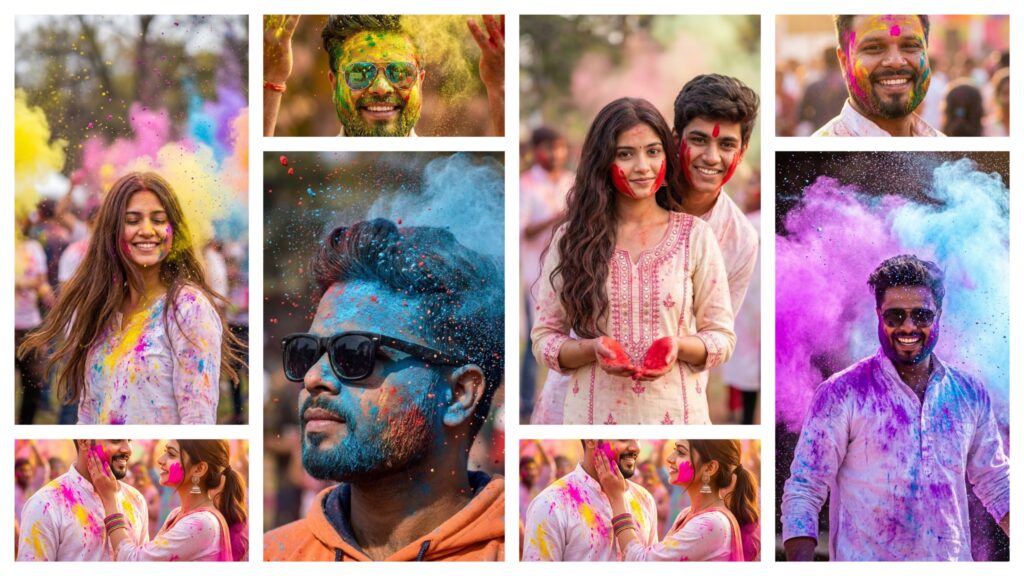
- Happy Holi Ai Photo Generator – Google Gemini
- Happy Holi Couple Ai Photo Editing Prompts 2026 | Gemini Prompts