Halka Halka CapCut Template – Flashback Editing Made Easy
Friends, in this article, we’re going to learn how to create emotional flashback edits using the Halka Halka CapCut Template. This trend is very popular for reels and story edits, where the video transitions from the present to the past in a seamless memory-style effect. The best part is that you don’t need to manually create the flashback or overlays—the template already comes with all the elements you need. You just need to add your clip, photo, or video, and the template will automatically create your edit.
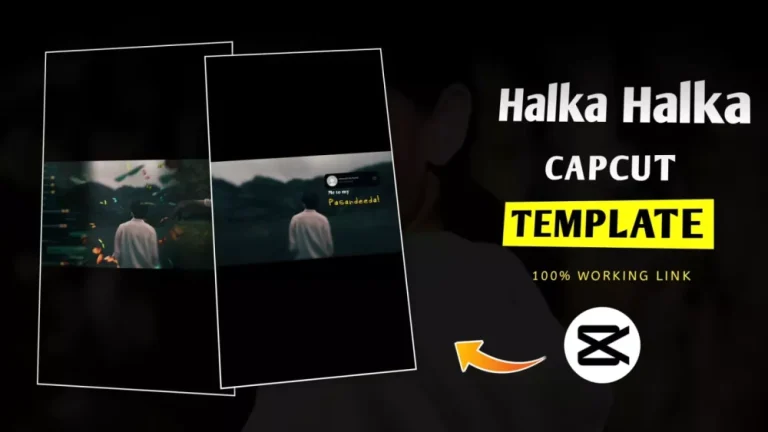
Details of Halka Halka CapCut Template:
- The edit starts with a simple clip at the beginning. Nothing happens initially—it sets the stage.
- When the song reaches the flashback part, the flashback effect automatically begins.
- You’ll notice butterfly effects running on one side, and on the other side, there’s WhatsApp-style overlay editing showing chats or messages.
- This combination of memories and overlays makes your flashback look professional and emotional.
- You don’t need to record anything extra; just add your own photos or videos.
- Make sure your clips are in 16:9 aspect ratio to fit perfectly with the template.
This template is perfect for anyone wanting to create emotional or memory-themed reels quickly and professionally.
Important Tips For This Template
Friends, here’s a professional trick to make your flashback editing look perfect:
- Use photos instead of videos for the flashback segments. Videos often have varying sizes and frames, but photos give a consistent look and smooth transitions.
- Keep your photos in landscape (16:9) orientation. This ensures that your images fit perfectly into the template.
- Avoid using photos with odd sizes or vertical orientation, because they may get cropped or look awkward in the final edit. A mismatched photo can ruin the smooth flashback effect.
✅ By following this tip, your Halka Halka flashback video will look professional, cinematic, and polished, just like the trending edits you see on Instagram.
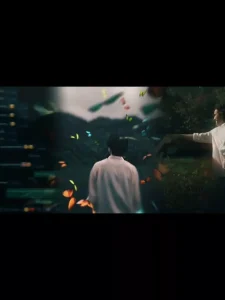
Here’s a step-by-step guide to create your Halka Halka CapCut Template video smoothly:
Step 1: Open CapCut
- Launch the CapCut app on your phone.
- Make sure your app is updated for the latest templates and effects.
Step 2: Find the Template
- Go to the Templates section in CapCut.
- Search for “Flashback Effect” or similar keywords like:
- Cinematic Flashback
- Sad Emotional
- Paste Transition
- Story Flashback
💡 Pro Tip: Type “Flashback” in the search bar to see all flashback templates together.
Step 3: Use the Template
- Click the “Check Template” button if provided—it will take you directly to the template.
- Select your media:
- Photos or video clips you want to add.
- Keep photos in 16:9 landscape for perfect fit.
Step 4: Customize & Preview
- Click Next after adding your clips/photos.
- Review the preview carefully:
- Check transitions
- Check flashback effects
- Ensure your clips fit the template properly
Step 5: Export
- If everything looks good, click Export to save your video.
- Now your Halka Halka flashback video is ready to share on Instagram, TikTok, or any platform!
- Bairan Capcut Template Link 2026 (100% Working)
- Two Sides Capcut Template Link 2026 (100% Working)
- Halka Halka Capcut Template Link 2026 (100% Working)
- Happy Holi CapCut Template 2026 (100% Working Link)
- First Kiss Song Reels Capcut Template | X Remix Trend Capcut Template
- Kya Baat Hai CapCut Template 2026 | X Remix Trend Template
- Just a Boy God in Car Capcut Template | Bhgwan Ji in Car Template
- Maduro Trend Capcut Template 2026 | Who Protect You Template
- AA 23 Theme CapCut Template 2026 | Character Intro Capcut Template
- Me To My Pasandida Reel Capcut Template | Halka Halka Song Template