

Canva AI vs Adobe Firefly: Which AI Design Tool Is Better in 2026?
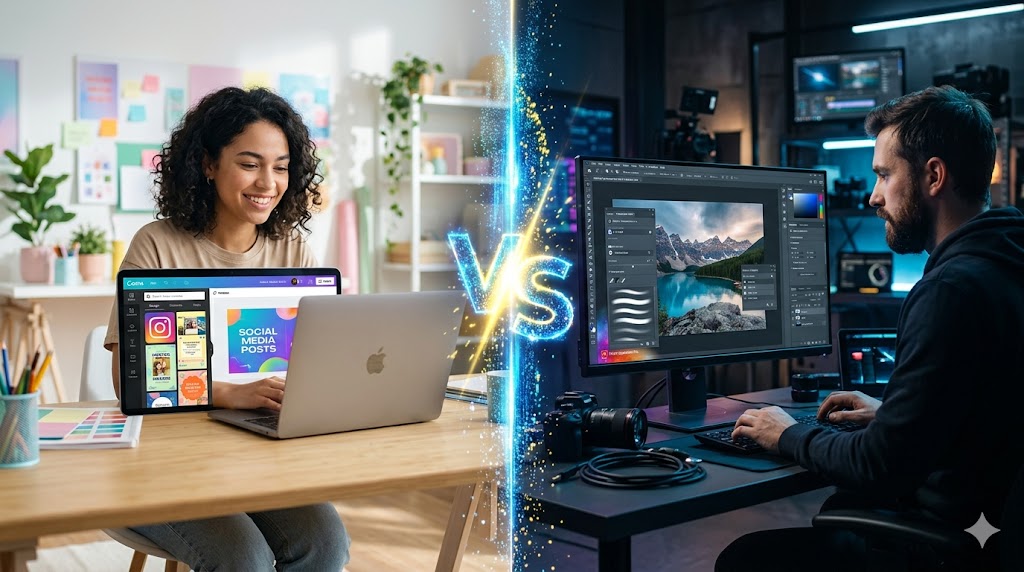
In the past few years, artificial intelligence has completely changed the way we design graphics, create content, and even build brands. What once required professional design skills and expensive software can now be done in minutes using AI-powered tools. Among the most popular names in this space today are Canva AI and Adobe Firefly, two platforms that are reshaping the creative world in very different ways.
At first glance, both tools may look similar because they allow you to generate images, design visuals, and speed up creative work using text prompts. But once you start using them, the difference becomes very clear. One is built for simplicity and speed, while the other is designed for professional-level control and precision.
The Idea Behind Both Tools
The rise of AI design tools is not just a trend—it is a response to a real need. Businesses, creators, and marketers need content faster than ever before. Social media demands daily posts, ads need constant variation, and brands want fresh visuals without hiring large design teams.
Canva AI focuses on solving this problem by making design extremely easy. You simply type what you want, and it builds something usable almost instantly. It feels more like a creative assistant that helps you get things done quickly without worrying about technical details.
Adobe Firefly, on the other hand, takes a more professional approach. It is built for users who already understand design or work inside Adobe’s ecosystem. Instead of replacing design skills, it enhances them with powerful AI tools like generative fill, advanced image editing, and precise visual control.
User Experience and Learning Curve
One of the biggest differences between the two platforms is how they feel to use.
Canva AI is extremely beginner-friendly. Everything is visual, simple, and drag-and-drop based. Even someone who has never designed anything before can create a social media post, poster, or presentation within minutes. The AI works like an assistant that removes complexity instead of adding it.
Adobe Firefly feels more advanced. It is not difficult for professionals, but it assumes you are comfortable working with tools like Photoshop or Illustrator. The interface gives you more control, but that also means there is a learning curve. You get more power, but you also need more understanding of design basics.
Quality of AI Output
When it comes to raw visual quality, Adobe Firefly usually has the edge. The images it generates tend to look more realistic, detailed, and professionally refined. Lighting, shadows, textures, and depth often feel more accurate, especially in complex compositions.
Canva AI generates very good results for everyday use, especially for social media content and marketing visuals. However, its output sometimes feels more template-driven. It is designed to be fast and usable rather than highly artistic or hyper-realistic.
So if your goal is quick content creation, Canva performs very well. If your goal is high-end creative or commercial design, Adobe Firefly feels more polished.
Workflow and Ecosystem
Another important difference is how each tool fits into your workflow.
Canva AI works as a complete all-in-one platform. You can create designs, edit images, write text, and export content without leaving Canva. This makes it extremely efficient for solo creators, small businesses, and marketers who want everything in one place.
Adobe Firefly works best inside the Adobe Creative Cloud ecosystem. If you already use Photoshop or Illustrator, Firefly becomes a powerful extension of your workflow. You can generate an image using AI and then refine it with professional editing tools, which gives you much more flexibility and control.
Pricing and Accessibility
Canva AI is generally more affordable and accessible. Many of its AI features are included in a low-cost subscription, making it attractive for students, freelancers, and small business owners.
Adobe Firefly is part of Adobe’s subscription system, which is more expensive but also more professional. You are not just paying for Firefly—you are paying for the entire Adobe Creative Cloud suite, which includes industry-standard tools.
Which One Should You Choose?
There is no single winner in this comparison because both tools are designed for different types of users.
If you are someone who creates social media content, runs a small business, or wants fast and easy design results without technical complexity, Canva AI is the better choice. It saves time, reduces effort, and helps you stay consistent with content creation.
If you are a professional designer, photographer, or creative agency working on high-quality branding or commercial projects, Adobe Firefly is the stronger option. It gives you more control, better image quality, and deeper integration with professional tools.
In many real-world cases, creators actually use both—Canva for speed and Adobe Firefly for precision work.
Final Thoughts
The competition between Canva AI and Adobe Firefly is not about which tool is better overall, but about how AI is reshaping creativity itself. Canva is making design accessible to everyone, while Adobe is pushing the boundaries of professional-grade AI creativity.
As AI continues to evolve, the gap between beginner tools and professional tools will likely become smaller. But for now, the choice depends on your skill level, workflow, and creative goals.
Leave a Reply